Overview
Adaptive maths practice that reveals the right amount of help at the right time. Learners solve linear equations one line at a time. Stepwise reacts to the state of their working and shows only the support that is useful at that moment.
It is a React and TypeScript prototype with three questions. It explores how a learning interface can hold rich internal state while keeping the learner's screen calm.
The problem
A learning system can know a great deal: whether a step is correct, which path the learner took, which misconception they showed, how much help they used, and an estimate of mastery. Showing all of that creates noise.
The design question was how much of the system's knowledge the learner actually needs to see. The working principle: the system can know more than the learner needs to see.
The interaction model
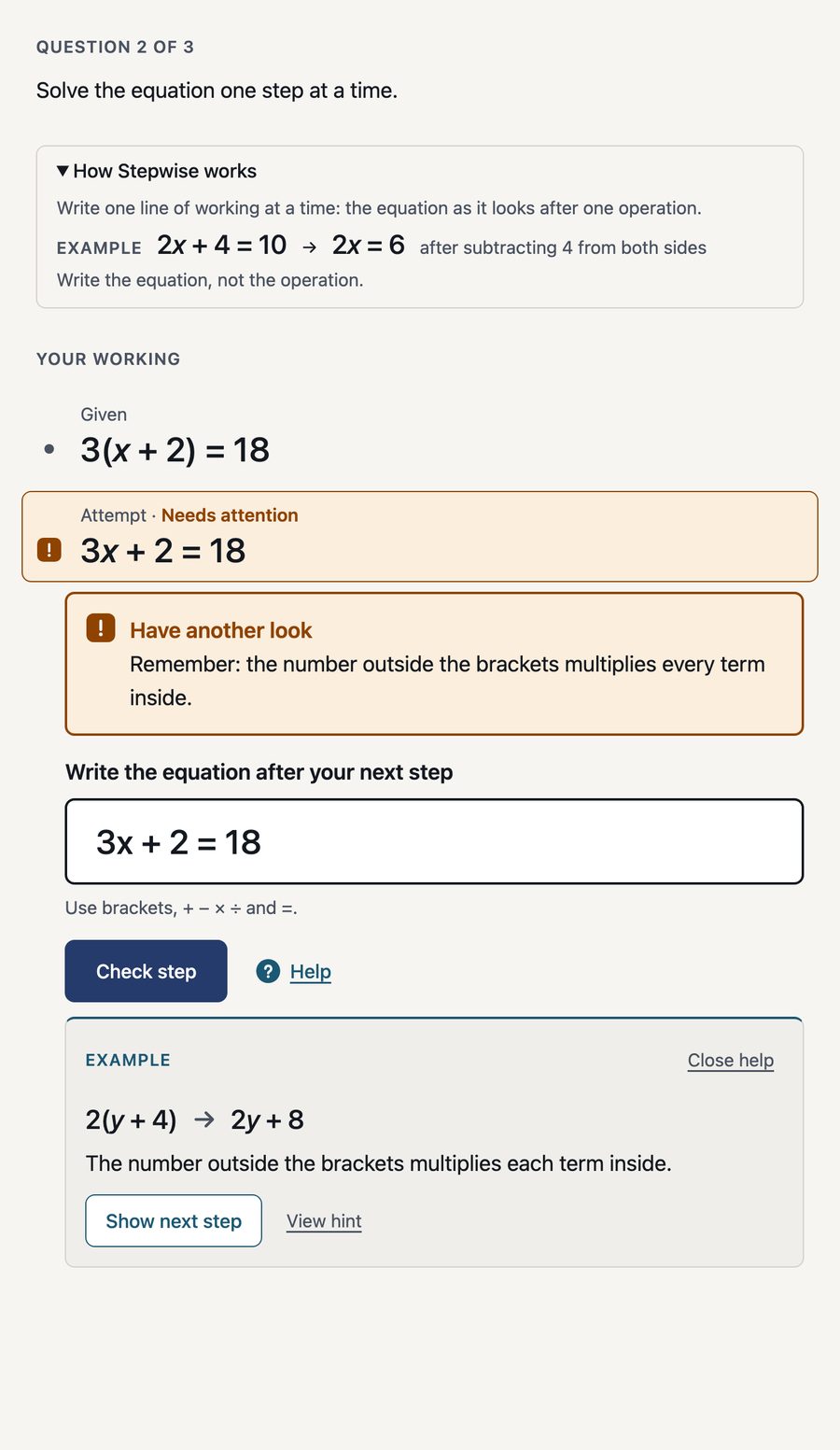
The working reads as one continuous piece of mathematics, not a stack of UI cards: the given equation, the learner's accepted lines, any rejected or unrecognised attempt, a clearly labelled suggested next step, the current input and, finally, question completion. A solved question keeps its working on screen and replaces the input with one next action.
Progressive help
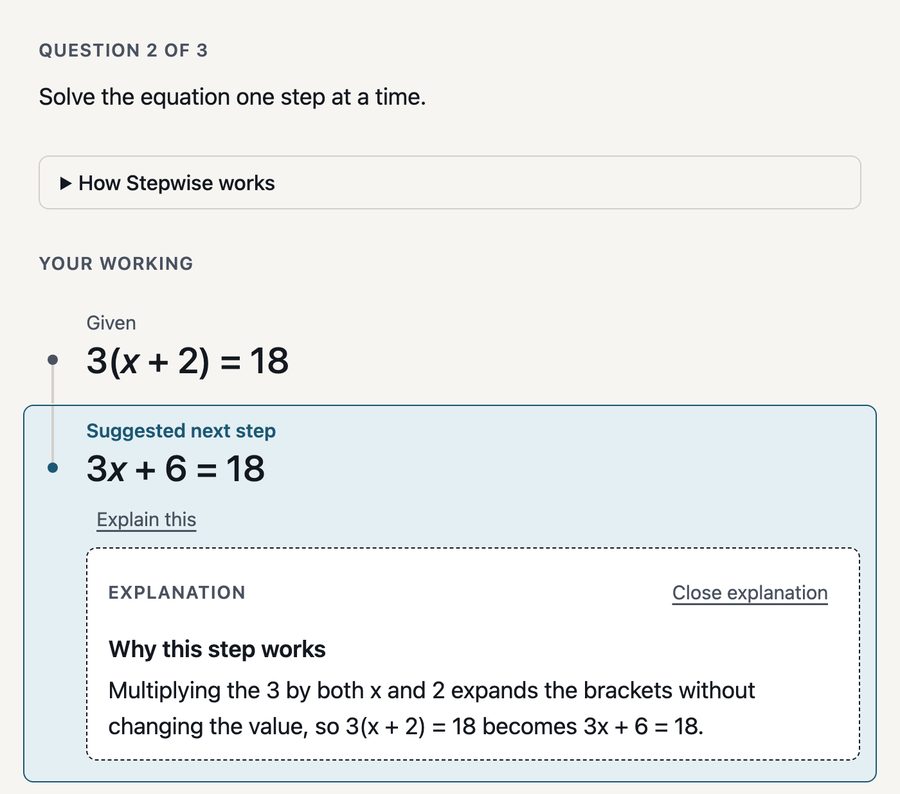
Help is exposed in deliberate steps: a generic Prompt, a Hint specific to a recognised misconception, an Example on a different expression, and finally a Suggested next step that enters the working. Only one forward action is visible at a time. Repeated difficulty changes which help becomes available but never pushes more onto the screen by itself. Help already seen can be reopened, and instructions for using the interface are kept separate from maths help.
Unrecognised does not mean wrong
Stepwise separates a recognised misconception from an
expression it simply cannot classify. For the second case the
interface says, in substance, "I can't quite match that step
yet" instead of declaring it incorrect. Equivalent input is
handled too: 2x = 17 - 5 can be canonicalised
internally to 2x = 12 while the working keeps
what the learner actually wrote.
Progress versus mastery
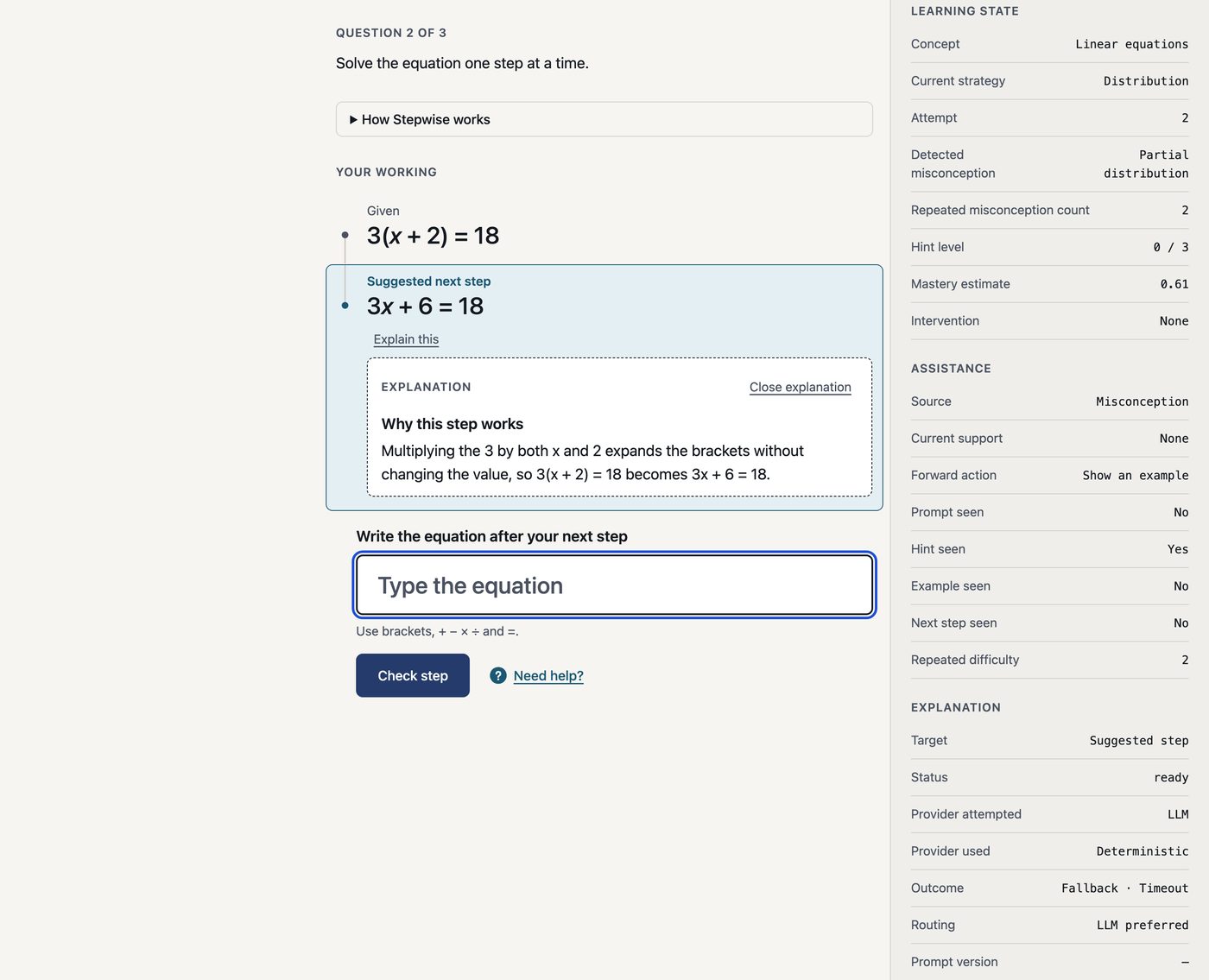
The learner sees plain progress: Question 1 of 3. Separately, Stepwise keeps richer session state and an illustrative mastery estimate that only appears in a developer inspector. That estimate is a prototype signal, not a validated assessment model. The point is the distinction between task progress and internal learning-state estimation.
Accessibility and responsive UI
The flow is keyboard-first, with deliberate focus handling after a step is submitted and when a question completes, so one Enter press does not skip the completion state. Status is never conveyed by colour alone, controls are semantic buttons, help and explanation text use polite live regions, and the DOM follows reading order. The layout was checked at about 390px with touch targets of at least 44px and no horizontal overflow. It has not been tested with screen readers.
Where the model fits
The model never decides correctness, misconceptions, progression, completion or mastery; those stay deterministic. An optional Explain this action can reword a judgement Stepwise has already made. AI may explain the system's judgement; it does not make the judgement.
Deterministic maths state
  ↓
Explanation target
  ↓
Routing policy
  ├─ Deterministic explanation
  └─ Model explanation
        ↓
Server-side versioned prompt
        ↓
Untrusted structured output
        ↓
Validation (server and browser)
  ↓
Display-only explanation
The browser sends only a narrow structured request, never a prompt. The prompt is built on the server and versioned, the API key stays server-side, the response is a fixed schema with no fields for correctness or progress, and it is validated before display. Timeouts, rate limiting, request de-duplication and a small bounded cache sit behind it.
Model evaluation
I compared model explanations with the deterministic ones on
a 12-case corpus (11 supported cases) using Claude Haiku 4.5
and the first prompt version (explanation-prompt/1).
| Compared with deterministic | Cases |
|---|---|
| Better | 2 |
| Same | 5 |
| Worse | 4 |
Caveat: these Better / Same / Worse judgements were made by an AI assistant and have not yet been independently validated by a human. The sample is small, so treat the result as evidence-informed, not conclusive.
The model was not universally better. It added the clearest value when explaining why a suggested next step works. For most other targets the deterministic explanation was equal or better, and model calls took about two seconds against effectively none for deterministic text. Routing therefore uses the model first only for the Suggested next step, with deterministic fallback; misconceptions, hints, examples and accepted steps stay deterministic.
Prompt V2
A second prompt was tested after V1 put future-step information in an optional output field the interface does not display. V2 removed that, but it also removed the explanatory behaviour that made V1 useful and caused other regressions. It was evaluated and rejected; V1 stays active rather than assuming the newer prompt was better.
What the model got wrong
- A negative-sign reasoning error in a bracket explanation.
- A generic explanation of an arithmetic error.
-
It ignored the learner's equivalent expression
(
2x = 17 - 5). - Future-step leakage in optional output (V1), which V2 fixed only by regressing elsewhere.
Outcome
A working learner experience, deterministic learning state, progressive assistance, responsive and accessible UI, a constrained model boundary, a real model evaluation and evidence-driven routing, deployed publicly. It is a prototype: no learner studies, an illustrative mastery estimate, and a lightweight public endpoint.
Tech
React, TypeScript, Vite, CSS Modules, Vitest, Cloudflare Workers, Claude API