Hang it once.
The problem
A 165 cm painting is hard to place by eye. Get it wrong and you find out with a drill in your hand: too close to a door, off-centre over the sofa, or simply too big for the wall.
FloorGen already holds an accurate model of the house: every wall, door, window and piece of furniture, to the centimetre. WallSnap uses that model to place artwork precisely before anything goes on the wall.
The solution
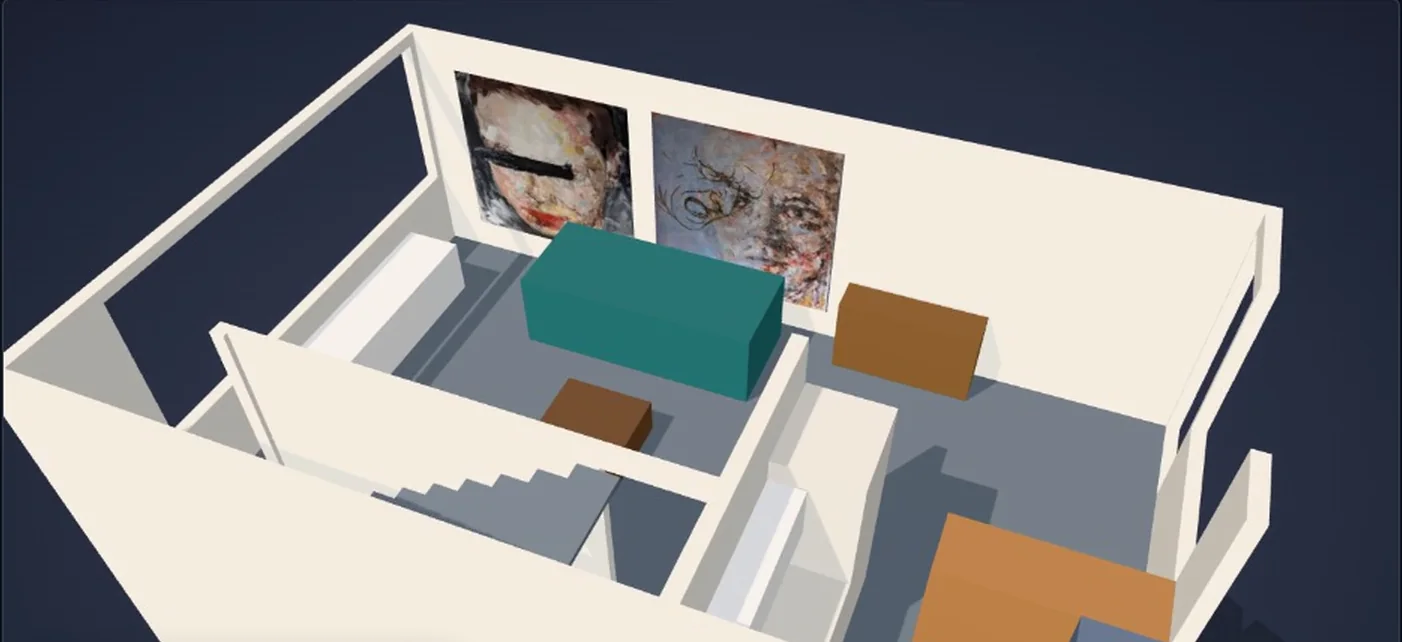
WallSnap loads a real wall from a FloorGen project, lets you position one or more paintings on it to scale, writes the placement back to FloorGen, and shows the result in the furnished room—from above, or at eye level.
Try the live WallSnap demo — upload artwork, position it and explore in 3D
30-second demo: FloorGen's own 3D view, the same room in WallSnap, 2D editing and a walkthrough. Recorded read-only; nothing was saved to FloorGen.
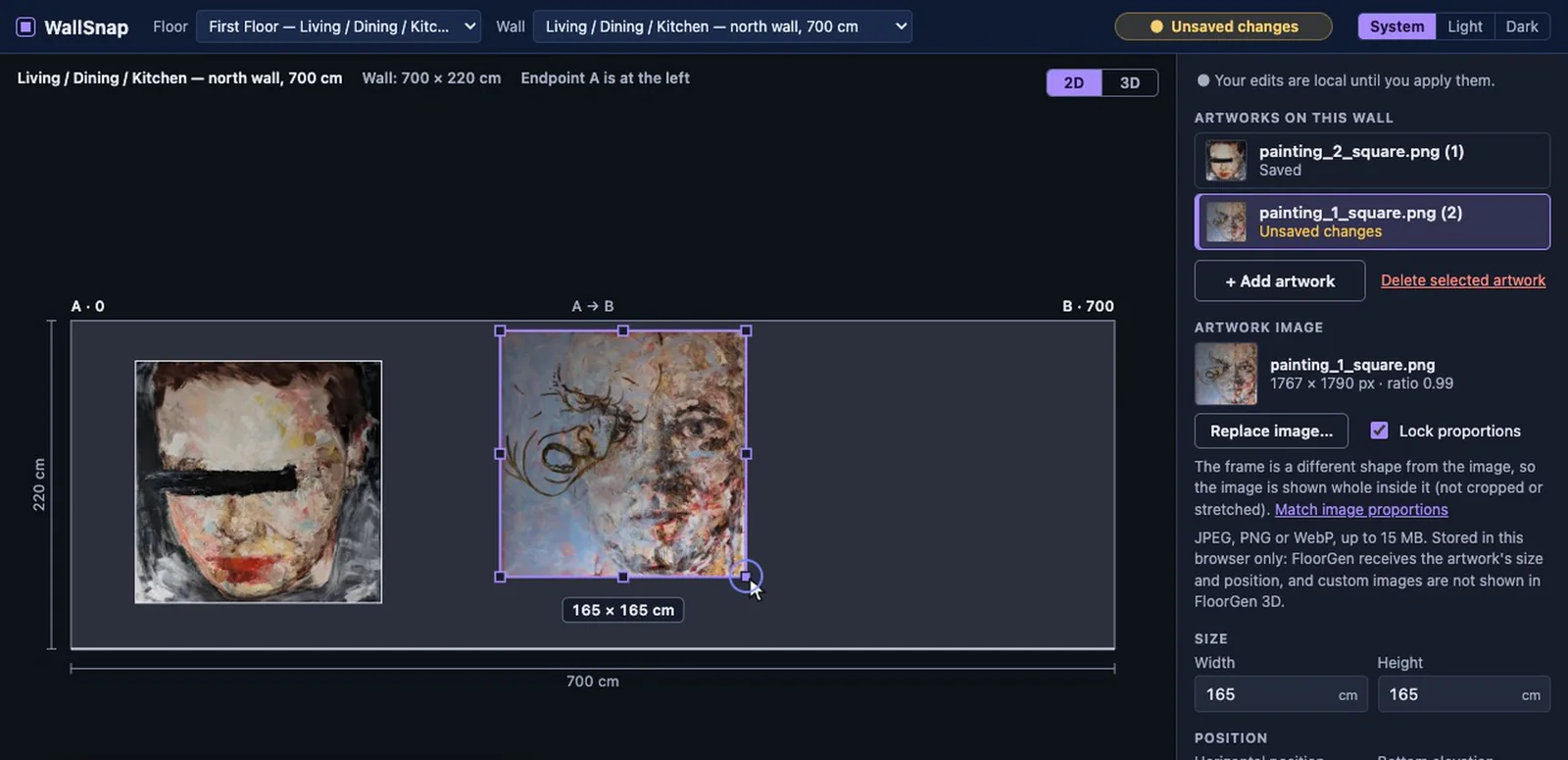
A wall elevation, to scale
Pick a floor and a wall and WallSnap draws its elevation from FloorGen's own wall endpoints, height and openings. Drag a painting, resize it with its handles, nudge it with the arrow keys, or type exact centimetres. Every position is measured from the wall's end and the floor, whichever way the wall runs.
Paintings must fit the wall and stay clear of doors and windows. Problems are hatched on the drawing and explained in words, and nothing can be saved until they are fixed.
Walk the room
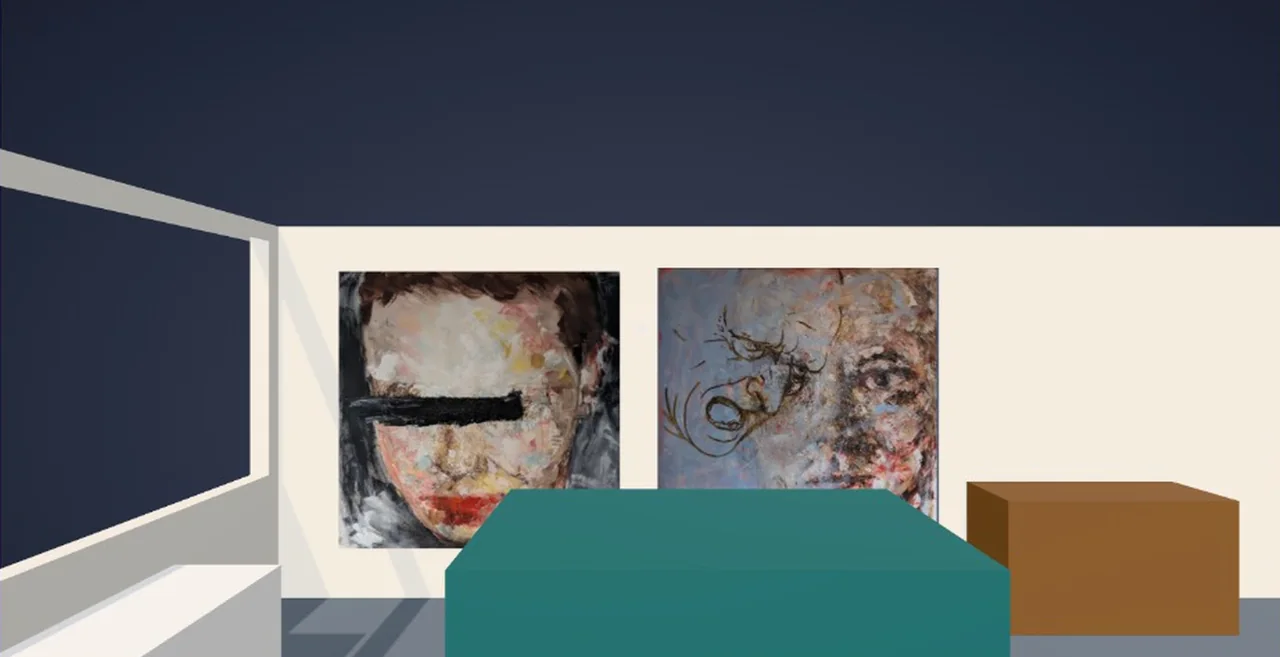
The 3D view loads FloorGen's own export of the house and hangs every saved painting in it with its real image. Orbit around the floor, or switch to Walk for an eye-level view that collides with FloorGen's walls and furniture.
FloorGen integration
A small Node adapter talks to FloorGen's MCP server; the
browser never sees the API key. It reads walls, openings,
rooms and furniture, then saves each painting with
place_on_wall and update_items.
Every save is checked against the project's revision first and
read back afterwards, and only counts once FloorGen confirms
it.
FloorGen stores each painting's size, wall, position and height. The painting's image stays in the browser: FloorGen has no image field for items, so its own viewer shows a plain picture object where WallSnap shows the painting.
Writes are locked to a development copy of the project, checked on every call before it leaves the server.
Technical highlights
- Wall, screen and plan coordinates kept apart in pure, tested TypeScript functions
- SVG dragging through coordinate transforms, so it stays accurate at any zoom
- Several paintings per wall, saved one at a time with verified read-back
- Lazy-loaded Three.js preview built from the same wall data as the save
- Walk collision from FloorGen's plan: walls, doorways, furniture footprints and stairs
- All MCP results validated at the boundary; 369 unit tests plus Playwright browser tests
AI-assisted tools were part of the development process, alongside hands-on product decisions, debugging, test review and verification against the live FloorGen project.
Tech
React, TypeScript, Vite,
SVG, Three.js, Node,
MCP, Vitest, Playwright